Scarlett 2I2 Vs Behringer Umc202Hd: Budget Audio Interfaces: Scarlett 2i2 or Behringer UMC202HD

The Focusrite Scarlett 2i2 costs more. The Behringer UMC202HD costs less. For most home studios in 2026, the Behringer is the smarter buy. But not for everyone. Here’s the honest breakdown.

Both interfaces do the same fundamental job: convert an analog microphone or guitar signal into digital audio your computer can record. Both have two inputs. Both run on USB. Both ship with basic recording software. The differences come down to preamp quality, build feel, driver stability, and about $70 in price.

I’ve used both units extensively. The Behringer sits on my desk right now. The Scarlett went back after three weeks. That’s not because the Scarlett is bad. It’s because the Behringer did the same job for less money, and the Scarlett’s advantages didn’t matter for my workflow.

What Actually Matters in a Budget Interface

You’re not buying a mixing console. You’re buying a box that needs to do three things reliably: capture clean signal, play back without crackling, and not get in your way. Everything else is marketing.

The first principle here is simple. An audio interface is a translator. Your microphone speaks analog. Your computer speaks digital. The interface converts one language to the other. If the translation is accurate and quiet, you’re done. If it adds noise or drops words, you’ll hear it in every recording you ever make.

Preamp Noise: The Number That Actually Matters

The Focusrite Scarlett 2i2 (3rd Gen and the newer 4th Gen) uses preamps with an Equivalent Input Noise (EIN) of around -128 dBu. The Behringer UMC202HD uses MIDAS-designed preamps rated at -129 dBu. That’s a one-decibel difference. You cannot hear it. Anyone who tells you they can hear the difference between -128 and -129 dBu on a $150 interface is lying or selling something.

What you can hear is gain range. The Behringer gives you 60 dB of gain. The Scarlett gives you 56 dB on the 3rd Gen, 69 dB on the 4th Gen. If you’re using a Shure SM7B — a notoriously gain-hungry dynamic mic — the 4th Gen Scarlett handles it better without a Cloudlifter. The Behringer will get you there, but you’ll be near the top of the gain knob where the preamp gets slightly noisier.

Driver Stability on Windows and Mac

This is where Focusrite has historically won. The Scarlett line is class-compliant on Mac — plug it in, it works. On Windows, Focusrite’s ASIO drivers are mature and stable. The Behringer UMC202HD also works class-compliant on Mac. On Windows, it relies on ASIO4ALL or Behringer’s own driver, which is functional but less polished.

For 2026, both units work fine on Windows 11 and macOS Sonoma. But if driver stability is your top concern — if you’re recording clients and cannot afford a dropout mid-take — the Scarlett’s driver edge is real. Not huge. But real.

Spec Comparison Table
Detailed image of an audio mixer with colorful knobs and controls in a studio setting.

Here’s the data side by side. Numbers don’t lie, but they also don’t tell the whole story.

Spec Focusrite Scarlett 2i2 (4th Gen) Behringer UMC202HD
Price (2026) $179 $99
Preamps 2 (Focusrite redesigned) 2 (MIDAS-designed)
Max Gain 69 dB 60 dB
EIN -128 dBu -129 dBu
Phantom Power +48V, switchable +48V, switchable
Sample Rate Up to 192 kHz / 24-bit Up to 192 kHz / 24-bit
Build Material Aluminum chassis Metal chassis, plastic knobs
Headphone Output Independent volume control Independent volume control
Included Software Ableton Live Lite, Focusrite Control Tracktion Waveform OEM

Read that table carefully. The Behringer matches or beats the Scarlett on paper in most categories. The Scarlett wins on gain range and build feel. The software bundle is a wash — Ableton Live Lite is more popular, but Tracktion Waveform is genuinely good and underrated.

Where People Get This Wrong

The biggest mistake I see in budget interface discussions is obsessing over specs that don’t matter while ignoring the one thing that does: gain staging.

You could buy a $500 interface and still get noisy recordings if you don’t set your levels correctly. You could buy the $99 Behringer and get clean, professional results if you do. The interface is rarely the bottleneck. The room, the mic placement, the performance — those matter more.

Another common failure: buying the Scarlett because a YouTuber said it’s “the industry standard.” It is the best-selling interface in the world. That doesn’t mean it’s the best for you. It means Focusrite has excellent marketing and a long track record. The Behringer UMC202HD has sold millions of units too. It’s just less glamorous.

When to Buy the Scarlett 2i2

  • You use a Shure SM7B or other low-output dynamic mic and don’t want to buy a Cloudlifter or FetHead.
  • You record clients and need the most stable Windows drivers possible.
  • You care about how gear feels. The Scarlett’s aluminum chassis and knobs feel premium. The Behringer’s plastic knobs feel cheap.
  • You want the 4th Gen’s Air mode, which adds a high-frequency boost that can help dull mics.

When to Buy the Behringer UMC202HD

  • You’re on a tight budget and want to spend the $80 savings on a better microphone or acoustic treatment.
  • You use condenser mics, which don’t need extreme gain.
  • You’re on Mac, where driver differences barely matter.
  • You want a second interface for travel or a backup unit.

What About the Alternatives?

Musician holding audio equipment next to a colorful wall in a city street.

The market isn’t just these two. If neither feels right, consider the Audient iD4 MKII ($199) — it has a JFET instrument input that sounds noticeably better for direct guitar recording than either the Scarlett or Behringer. Or the Universal Audio Volt 2 ($189), which includes a built-in compressor and vintage preamp emulation. Or the Motu M2 ($199), which has the best metering display in the budget class and excellent low-latency performance.

For podcasters who need four inputs, the Behringer UMC404HD ($149) is the value king. For guitarists who want amp simulation built in, the IK Multimedia AXE I/O ($249) is worth a look. But if you’re deciding strictly between the Scarlett 2i2 and the UMC202HD, the choice comes down to this: do you need the extra gain and premium feel, or do you want to save $80 and get 95% of the same performance?

My answer: buy the Behringer. Spend the difference on a used Shure SM57 and some acoustic panels. That combination will improve your recordings more than any interface upgrade ever will.

The Bottom Line
Close-up view of a professional audio mixing console with faders and dials.

The budget audio interface category has matured to the point where the cheap options are genuinely good. The Behringer UMC202HD at $99 is the best value in the category. The Scarlett 2i2 at $179 is the safer, more polished choice. Both will serve you well.

What excites me about the next few years isn’t better preamps — it’s better integration. Interfaces that work seamlessly with mobile devices. Interfaces with built-in DSP that doesn’t require a degree to operate. The gap between budget and pro gear keeps shrinking. The Behringer and Scarlett are both proof of that. Pick one, start recording, and stop worrying about the gear.

Home Studio Setup Under $500: The No-BS 2026 Gear List

You have $500 and a room that is not acoustically treated. You want to record a song that does not sound like it was recorded inside a tin can. This is the exact list I would hand a friend who just asked me that question.

I have recorded in bedrooms, closets, and one very questionable basement. The gear below is what actually matters. Everything else is noise.

The Real Problem Is Not Your Gear

Most first home studios fail because people buy the wrong thing first. They buy a fancy microphone and plug it into a $20 USB adapter. Then they wonder why the recording hums like a refrigerator.

The signal chain matters more than any single piece. A $100 microphone through a proper audio interface will beat a $400 USB microphone every time. USB microphones combine the preamp, converter, and mic into one cheap box. You cannot upgrade any part of it later.

Start with an audio interface. It is the foundation. Everything plugs into it. If you buy nothing else on this list, buy the interface first.

The Interface That Actually Works

The Focusrite Scarlett Solo costs $119 new in 2026. It has one XLR input with phantom power, one instrument input, and a headphone output. The preamp is clean enough that you will not hear hiss on a quiet vocal take. Focusrite has been making these for over a decade. Drivers are stable on Windows and Mac.

The cheaper Behringer UM2 ($49) exists. I do not recommend it for vocals. The preamp gets noisy when you push the gain past about 60%. If you only record loud sources like electric guitar cabs or drums, it works. For anything quiet, spend the extra $70 on the Scarlett.

Microphone Choice: Stop Overthinking This

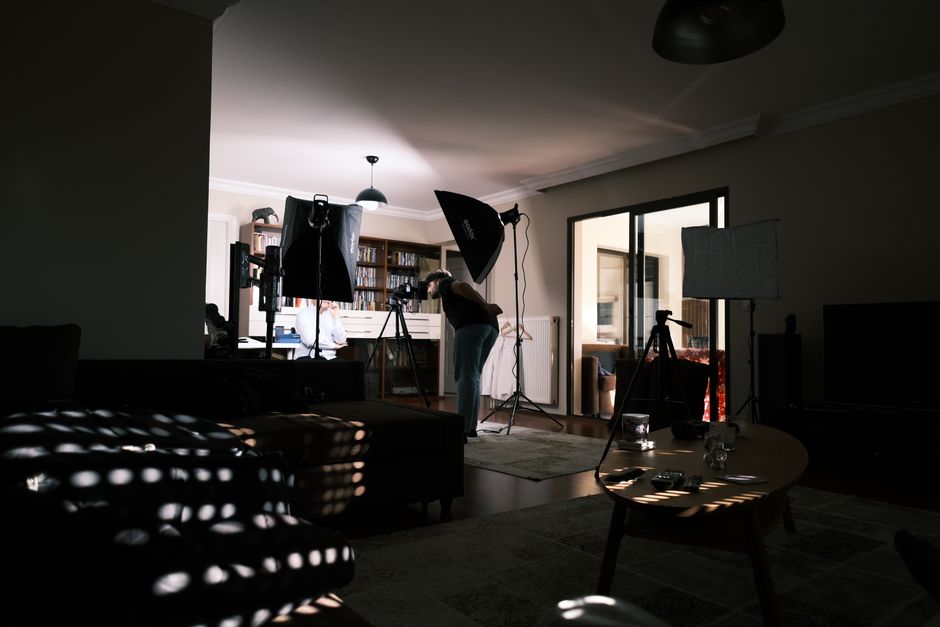
A cozy home studio with professional lighting equipment for a photo session.

Buy a dynamic microphone. Not a condenser. Dynamic mics reject room noise better, which matters because your room is untreated. Condensers pick up everything: the refrigerator, the neighbor’s dog, the sound of your chair creaking.

The Shure SM57 ($99) is the answer for most people. It records vocals, guitar amps, snare drums, acoustic guitar, and pretty much anything else you put in front of it. Is it the best vocal mic? No. Does it work well enough to make a record? Yes. Bruce Springsteen recorded vocals on Nebraska with an SM57. You will be fine.

If you only record vocals and want something slightly warmer, the Shure SM58 ($109) is the same mic with a built-in pop filter. The difference is small. Pick whichever is cheaper at the time.

Do not buy a cheap condenser like the Neewer NW-700. It will pick up the hum from your laptop fan and you will spend hours trying to edit it out.

Headphones: Closed-Back Only

You need closed-back headphones for tracking. Open-back headphones leak sound into the microphone. You will get bleed on every vocal take and then wonder why there is a ghost of the instrumental in your vocal track.

The Audio-Technica ATH-M40x ($99) is the best value in 2026. Flat enough to mix on, durable enough to survive being stepped on, and the cable detaches when you inevitably roll your chair over it. The M50x ($149) adds more bass but the M40x is actually flatter for mixing. Save the $50.

For a cheaper option, the Sony MDR-7506 ($89) has been the studio standard for 30 years. They are bright. You will hear every mistake. That is the point.

Do not mix on earbuds. Do not mix on Beats. Do not mix on anything that colors the sound.

The $60 Software That Runs Everything

Young black men filming a casual video with laptop and camera in a home studio setting.

You do not need Pro Tools. You do not need Ableton. You need a DAW that records audio, supports VST plugins, and does not crash.

Reaper costs $60 for a personal license. It is not a trial. It is the full program. Reaper runs on any computer made in the last decade and supports every plugin format that matters. The learning curve is real but there are thousands of free tutorials.

Free alternatives exist. GarageBand is free on Mac and genuinely good for songwriting demos. Audacity is free but it is a destructive editor, not a real DAW. You cannot run proper plugin chains in Audacity. You will outgrow it in a month.

Spend the $60 on Reaper. It is the last DAW you will need to buy for years.

What the $500 Budget Actually Looks Like

Item Product Price Why It Matters
Audio Interface Focusrite Scarlett Solo $119 Clean preamp, stable drivers
Microphone Shure SM57 $99 Rejects room noise, works on everything
Headphones Audio-Technica ATH-M40x $99 Closed-back, flat response
XLR Cable Hosa HMIC-010 $15 Do not buy the cheapest cable
Mic Stand On-Stage MS7701B $25 Boom arm saves desk space
Pop Filter Aokeo Professional $12 Stops plosives on vocals
DAW Reaper $60 Full-featured, one-time purchase
Total $429 Leaves $71 for cables or a second mic

The remaining $71 should go to a second XLR cable and maybe a used Shure SM58 if you can find one under $80. Two mics open up stereo recording and drum overheads.

The Mistakes That Ruin First Recordings

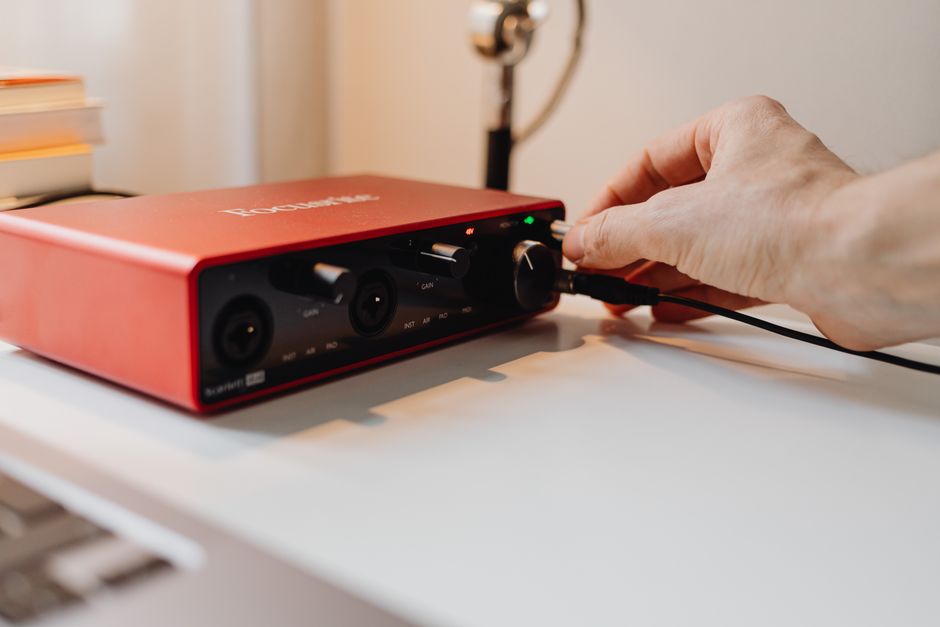
A close-up of a hand adjusting controls on a red audio interface, emphasizing technology use.

Here is what actually goes wrong, in order of frequency:

  • Recording too hot. Keep your input level peaking around -12dB to -6dB. Digital clipping is permanent. You cannot fix it later.
  • Ignoring room echo. Record in the room with the most soft surfaces. Closets with clothes work surprisingly well. Bathrooms do not.
  • Buying monitors before treatment. Studio monitors in an untreated room lie to you. Headphones are more honest in a bad room.
  • Over-processing. A raw SM57 recording through a Scarlett sounds decent. Adding 15 plugins makes it sound worse. Start with EQ and compression. Stop there.
  • Not backing up. Save your Reaper project to two places. Hard drives die. This is not optional.

When You Should Spend More (And When You Should Not)

If you are recording acoustic guitar and quiet vocals in a room with no treatment, add a Shure SM58 ($109) and skip the SM57. The built-in pop filter helps with plosives and the slightly warmer top end flatters acoustic sources.

If you are only making beats and never recording audio, skip the microphone entirely. Put that $99 toward a MIDI controller like the Arturia MiniLab 3 ($109). The Scarlett Solo still matters for headphone output.

If you have $700 instead of $500, the single best upgrade is acoustic treatment. Four ATS Acoustic panels ($180 for a 4-pack) will do more for your recordings than any microphone upgrade. Untreated rooms make every mic sound cheap.

The gear list above is not the ceiling. It is the floor. It is the minimum that produces a recording you would not be embarrassed to share. Everything above this is incremental improvement.

The home studio market in 2026 is flooded with cheap gear that promises professional results. Most of it is bad. The list above is boring on purpose. Boring gear works. Boring gear does not break. Boring gear lets you focus on the song instead of troubleshooting a $30 USB microphone that hums every time you move the cable.

Record the song. That is the point.