
Most people walk into a music store, see a MIDI keyboard with 88 weighted keys, and think: “That’s the real one. That’s what I need.” Then they take it home, realize it’s the size of a dining table, and never touch it again. The truth? Your first MIDI keyboard should probably have 25 to 49 keys, cost under $200, and fit on the same desk as your laptop. This guide explains why.
The category exists because recording audio from a real piano is expensive, noisy, and requires a treated room. A MIDI keyboard sends note data to software. It makes zero sound on its own. That distinction changes everything about how you should shop. You are not buying an instrument. You are buying a control surface for a virtual instrument that already lives inside your computer.
This is not financial advice. It is gear advice from someone who has watched too many beginners waste money on the wrong tool.
Key Count: Why 25 or 49 Keys Beat 88 for Most Home Producers
An 88-key controller like the M-Audio Hammer 88 Pro costs around $499 and weighs 18.5 kg. It is built for pianists who need the full range to play Chopin. If you are recording synth basslines, chord stabs, or hip-hop melodies, you will use maybe two octaves at a time. The extra 61 keys become a very expensive wrist rest.
Small controllers solve a real workflow problem: desk space. The Arturia KeyLab Essential 49 is 79 cm wide. The Novation Launchkey 37 is 55 cm wide. Both sit comfortably between a computer keyboard and a monitor. You can reach them without rolling your chair across the room.
Here is the failure mode: beginners buy 61 or 88 keys because they think more keys means more value. Then the keyboard lives in a closet because it does not fit on the desk. A controller that is not within arm’s reach gets used zero times per week.
| Key Count | Best For | Typical Width | Example Model | Price Range |
|---|---|---|---|---|
| 25 keys | Beatmakers, travel, tiny desks | 32-40 cm | Akai MPK Mini Plus | $119-$149 |
| 37 keys | Synth players, basslines, small studios | 55-60 cm | Novation Launchkey 37 | $199 |
| 49 keys | Two-handed chords, scoring, full control | 79-85 cm | Arturia KeyLab Essential 49 | $249 |
| 61 keys | Advanced players, live performance | 95-100 cm | Nektar Impact LX61+ | $229 |
| 88 keys | Classical pianists, full-range scoring | 130-140 cm | M-Audio Hammer 88 Pro | $499+ |
Bottom line: If you are not already a pianist, start with 37 or 49 keys. The Novation Launchkey 37 at $199 is the sweet spot for desk-based production in 2026.
Mini Keys vs. Full-Size Keys: The Spec Nobody Thinks About Until It’s Too Late

Mini keys are not a cute aesthetic choice. They change how you play. The Akai MPK Mini Plus uses 14 cm long keys that are 2 cm wide. Full-size keys on the Arturia KeyLab Essential are 22 cm long and 2.3 cm wide. That difference sounds small on paper. It feels enormous after 20 minutes of playing chords.
Here is my position: mini keys are fine for one-handed melodies, drum programming, and sketching ideas. They are genuinely bad for learning proper piano technique or playing two-handed parts. If you have ever taken piano lessons, your muscle memory will fight mini keys constantly. Your fingers will land in the wrong place. You will blame the keyboard. It is the keyboard.
But full-size keys are not automatically better. The Native Instruments Komplete Kontrol A49 has full-size synth-action keys, but they feel light and plasticky compared to the Arturia KeyLab Essential 49. Neither feels like a real piano. Both are better than mini keys for serious playing.
Bottom line: Buy full-size keys unless portability is your number one priority. If you must go mini, the Akai MPK Mini Plus is the only one in its class with a built-in sequencer and 8 MPC pads.
What Actually Matters: Pads, Knobs, and Software Bundles
Every MIDI keyboard under $300 has keys that send note data. What separates them is everything else bolted to the chassis.
- Drum pads. The Novation Launchkey 37 has 16 velocity-sensitive pads. The Arturia KeyLab Essential 49 has 8. If you make hip-hop or electronic music, 16 pads is a real advantage. You can finger-drum full patterns without shifting octaves.
- Knobs and faders. The Akai MPK Mini Plus has 8 rotary knobs. The Launchkey 37 has 9 faders plus 8 knobs. Faders matter for mixing and controlling synth parameters in real time. Knobs alone are fine for basic tweaks but limiting for automation.
- Software bundles. Arturia includes Analog Lab Intro (500 synth presets) and Ableton Live Lite. Novation includes Ableton Live Lite and a bundle of virtual instruments. Akai includes MPC Beats and a few AIR Music Tech instruments. These bundles are not throwaway extras. Analog Lab Intro alone would cost $99 separately.
- Arpeggiator and chord modes. The Launchkey 37 and KeyLab Essential both have arpeggiators. Chord mode lets you press one key and trigger a full chord. This is genuinely useful for beginners who do not know music theory yet.
Failure mode: buying a keyboard with zero knobs and pads because it was $20 cheaper. You will outgrow a bare-bones controller within three months. Then you will buy a second keyboard. That is the expensive path.
DAW Integration: The Silent Dealbreaker

Not all MIDI keyboards play nicely with all software. This is the part most beginner guides skip, and it causes more frustration than any other spec.
The Novation Launchkey series is deeply integrated with Ableton Live. Transport buttons, session mode, and clip launching work without manual mapping. If you use Ableton, this is the obvious choice. The Arturia KeyLab Essential is mapped for Arturia’s own software and works well with Logic Pro and FL Studio, but the Ableton integration is not as seamless as Novation’s.
The Akai MPK Mini Plus ships with MPC Beats, which is a capable but less popular DAW. If you plan to use Ableton or Logic, the Akai’s integration is generic MIDI mapping. It works, but you will spend an afternoon assigning knobs manually.
Here is the practical advice: pick your DAW first, then buy the keyboard that has native integration with it. Ableton Live users should buy Novation. Logic Pro users should look at Arturia. FL Studio users can go either way but should check the MIDI scripting support. Buying a keyboard before choosing a DAW is like buying tires before choosing a car.
Bottom line: For Ableton Live users, the Novation Launchkey 37 is the best first MIDI keyboard in 2026. For everyone else, the Arturia KeyLab Essential 49 is the safer default because Analog Lab Intro works inside any DAW.
When Not to Buy a MIDI Keyboard at All
This section is short. Read it carefully.
Do not buy a MIDI keyboard if you do not have a computer that can run a DAW without freezing. A 2012 MacBook Air with 4 GB of RAM will choke on even a light Ableton session. You need at least 8 GB of RAM and a processor from the last five years. The keyboard is useless without a functioning host.
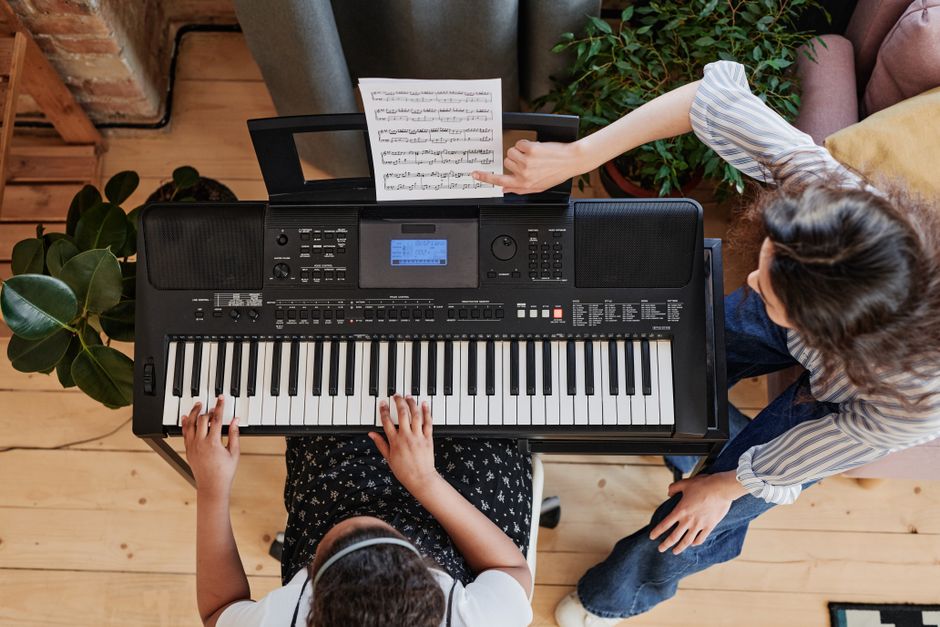
Do not buy a MIDI keyboard if you want to play piano without a computer. MIDI keyboards make no sound. You need a digital piano with built-in speakers, like the Yamaha P-145 ($499) or the Casio CDP-S110 ($399). These are instruments, not controllers. They also send MIDI over USB, so they can do double duty later.
And do not buy a MIDI keyboard if you are not willing to learn at least the basics of a DAW. The keyboard is a tool. The software is the instrument. If you bounce off Ableton or Logic, the keyboard becomes a paperweight.
The category is moving toward MIDI 2.0, which promises higher resolution velocity and better two-way communication between controllers and software. Most current keyboards will receive firmware updates. But the fundamental buying advice will not change: match the keyboard to your DAW, your desk, and your actual playing habits. Not to the fantasy of a full studio.