Choose First Midi Keyboard: Your First MIDI Keyboard Is Not a Piano: A Beginner’s Guide to Digital Production

Most people walk into a music store, see a MIDI keyboard with 88 weighted keys, and think: “That’s the real one. That’s what I need.” Then they take it home, realize it’s the size of a dining table, and never touch it again. The truth? Your first MIDI keyboard should probably have 25 to 49 keys, cost under $200, and fit on the same desk as your laptop. This guide explains why.

The category exists because recording audio from a real piano is expensive, noisy, and requires a treated room. A MIDI keyboard sends note data to software. It makes zero sound on its own. That distinction changes everything about how you should shop. You are not buying an instrument. You are buying a control surface for a virtual instrument that already lives inside your computer.

This is not financial advice. It is gear advice from someone who has watched too many beginners waste money on the wrong tool.

Key Count: Why 25 or 49 Keys Beat 88 for Most Home Producers

An 88-key controller like the M-Audio Hammer 88 Pro costs around $499 and weighs 18.5 kg. It is built for pianists who need the full range to play Chopin. If you are recording synth basslines, chord stabs, or hip-hop melodies, you will use maybe two octaves at a time. The extra 61 keys become a very expensive wrist rest.

Small controllers solve a real workflow problem: desk space. The Arturia KeyLab Essential 49 is 79 cm wide. The Novation Launchkey 37 is 55 cm wide. Both sit comfortably between a computer keyboard and a monitor. You can reach them without rolling your chair across the room.

Here is the failure mode: beginners buy 61 or 88 keys because they think more keys means more value. Then the keyboard lives in a closet because it does not fit on the desk. A controller that is not within arm’s reach gets used zero times per week.

Key Count Best For Typical Width Example Model Price Range
25 keys Beatmakers, travel, tiny desks 32-40 cm Akai MPK Mini Plus $119-$149
37 keys Synth players, basslines, small studios 55-60 cm Novation Launchkey 37 $199
49 keys Two-handed chords, scoring, full control 79-85 cm Arturia KeyLab Essential 49 $249
61 keys Advanced players, live performance 95-100 cm Nektar Impact LX61+ $229
88 keys Classical pianists, full-range scoring 130-140 cm M-Audio Hammer 88 Pro $499+

Bottom line: If you are not already a pianist, start with 37 or 49 keys. The Novation Launchkey 37 at $199 is the sweet spot for desk-based production in 2026.

Mini Keys vs. Full-Size Keys: The Spec Nobody Thinks About Until It’s Too Late

Two musicians with a synthesizer outside, one wearing an orange hat, in front of a blue garage door.

Mini keys are not a cute aesthetic choice. They change how you play. The Akai MPK Mini Plus uses 14 cm long keys that are 2 cm wide. Full-size keys on the Arturia KeyLab Essential are 22 cm long and 2.3 cm wide. That difference sounds small on paper. It feels enormous after 20 minutes of playing chords.

Here is my position: mini keys are fine for one-handed melodies, drum programming, and sketching ideas. They are genuinely bad for learning proper piano technique or playing two-handed parts. If you have ever taken piano lessons, your muscle memory will fight mini keys constantly. Your fingers will land in the wrong place. You will blame the keyboard. It is the keyboard.

But full-size keys are not automatically better. The Native Instruments Komplete Kontrol A49 has full-size synth-action keys, but they feel light and plasticky compared to the Arturia KeyLab Essential 49. Neither feels like a real piano. Both are better than mini keys for serious playing.

Bottom line: Buy full-size keys unless portability is your number one priority. If you must go mini, the Akai MPK Mini Plus is the only one in its class with a built-in sequencer and 8 MPC pads.

What Actually Matters: Pads, Knobs, and Software Bundles

Every MIDI keyboard under $300 has keys that send note data. What separates them is everything else bolted to the chassis.

  • Drum pads. The Novation Launchkey 37 has 16 velocity-sensitive pads. The Arturia KeyLab Essential 49 has 8. If you make hip-hop or electronic music, 16 pads is a real advantage. You can finger-drum full patterns without shifting octaves.
  • Knobs and faders. The Akai MPK Mini Plus has 8 rotary knobs. The Launchkey 37 has 9 faders plus 8 knobs. Faders matter for mixing and controlling synth parameters in real time. Knobs alone are fine for basic tweaks but limiting for automation.
  • Software bundles. Arturia includes Analog Lab Intro (500 synth presets) and Ableton Live Lite. Novation includes Ableton Live Lite and a bundle of virtual instruments. Akai includes MPC Beats and a few AIR Music Tech instruments. These bundles are not throwaway extras. Analog Lab Intro alone would cost $99 separately.
  • Arpeggiator and chord modes. The Launchkey 37 and KeyLab Essential both have arpeggiators. Chord mode lets you press one key and trigger a full chord. This is genuinely useful for beginners who do not know music theory yet.

Failure mode: buying a keyboard with zero knobs and pads because it was $20 cheaper. You will outgrow a bare-bones controller within three months. Then you will buy a second keyboard. That is the expensive path.

DAW Integration: The Silent Dealbreaker

Young man in casual attire using a game console controller in a minimalist studio setting.

Not all MIDI keyboards play nicely with all software. This is the part most beginner guides skip, and it causes more frustration than any other spec.

The Novation Launchkey series is deeply integrated with Ableton Live. Transport buttons, session mode, and clip launching work without manual mapping. If you use Ableton, this is the obvious choice. The Arturia KeyLab Essential is mapped for Arturia’s own software and works well with Logic Pro and FL Studio, but the Ableton integration is not as seamless as Novation’s.

The Akai MPK Mini Plus ships with MPC Beats, which is a capable but less popular DAW. If you plan to use Ableton or Logic, the Akai’s integration is generic MIDI mapping. It works, but you will spend an afternoon assigning knobs manually.

Here is the practical advice: pick your DAW first, then buy the keyboard that has native integration with it. Ableton Live users should buy Novation. Logic Pro users should look at Arturia. FL Studio users can go either way but should check the MIDI scripting support. Buying a keyboard before choosing a DAW is like buying tires before choosing a car.

Bottom line: For Ableton Live users, the Novation Launchkey 37 is the best first MIDI keyboard in 2026. For everyone else, the Arturia KeyLab Essential 49 is the safer default because Analog Lab Intro works inside any DAW.

When Not to Buy a MIDI Keyboard at All
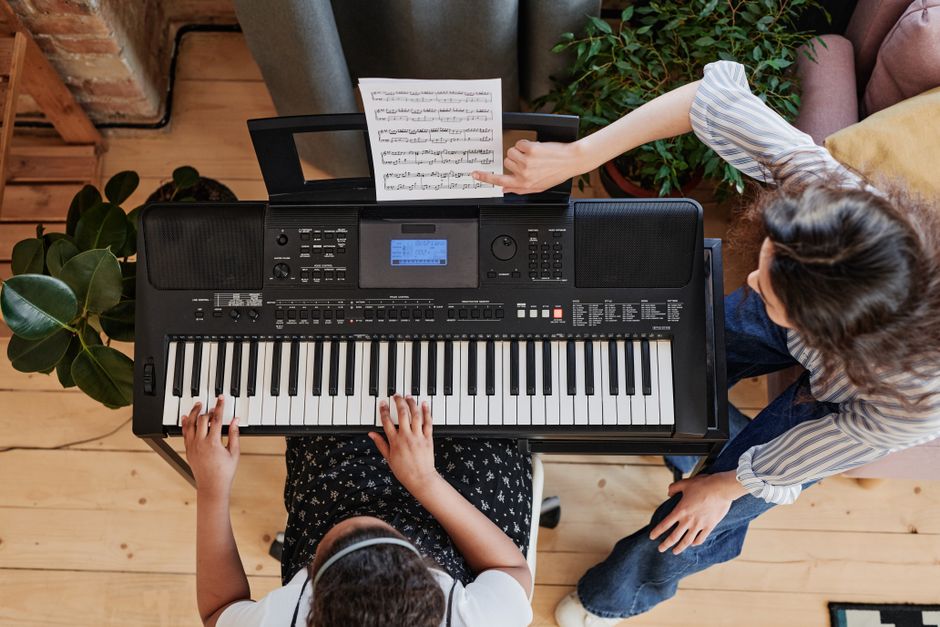
A child practicing piano under teacher guidance in a cozy indoor setting.

This section is short. Read it carefully.

Do not buy a MIDI keyboard if you do not have a computer that can run a DAW without freezing. A 2012 MacBook Air with 4 GB of RAM will choke on even a light Ableton session. You need at least 8 GB of RAM and a processor from the last five years. The keyboard is useless without a functioning host.

Do not buy a MIDI keyboard if you want to play piano without a computer. MIDI keyboards make no sound. You need a digital piano with built-in speakers, like the Yamaha P-145 ($499) or the Casio CDP-S110 ($399). These are instruments, not controllers. They also send MIDI over USB, so they can do double duty later.

And do not buy a MIDI keyboard if you are not willing to learn at least the basics of a DAW. The keyboard is a tool. The software is the instrument. If you bounce off Ableton or Logic, the keyboard becomes a paperweight.

The category is moving toward MIDI 2.0, which promises higher resolution velocity and better two-way communication between controllers and software. Most current keyboards will receive firmware updates. But the fundamental buying advice will not change: match the keyboard to your DAW, your desk, and your actual playing habits. Not to the fantasy of a full studio.

Choose First Electric Guitar: What Playing 200 Bad Gigs Taught Me About Choosing a First Electric Guitar

You have been saving playlists for years. You have a specific tone in your head—maybe it is the glassy clean of a Fender Twin or the broken-glass crunch of a Marshall stack. Now you are standing in a guitar shop or scrolling a retailer site, and everything looks the same.

Here is the secret nobody tells you: the guitar you buy first is not the guitar you will play forever. It is the instrument that either keeps you practicing for the next 18 months or turns into a dusty decoration in the corner of your bedroom.

I have bought, sold, traded, and broken enough cheap guitars to fill a small rehearsal room. The difference between a good first guitar and a bad one has almost nothing to do with brand loyalty. It has everything to do with physics, setup, and honesty about the music you actually listen to.

The Three Body Types That Actually Matter (And One You Should Skip)

Electric guitars come in a few basic shapes. The shape is not just cosmetic. It changes how the guitar sits against your ribs, how heavy it feels after 45 minutes of standing, and how easily you can reach the upper frets.

Solid Body: The Default Choice

Solid slabs of wood with no hollow chambers. The Squier Sonic Stratocaster ($199) and the Epiphone Les Paul Special ($179) are the two most common starting points. These are reliable, easy to repair, and hold their tuning well enough for practice. If you do not know what to buy, buy a solid body. The Stratocaster shape has a contoured belly cut and forearm bevel that makes it comfortable for long practice sessions. The Les Paul shape is heavier and thicker, which some players love and others find exhausting.

Semi-Hollow Body: For the Jazz and Indie Crowd

Guitars like the Ibanez Artcore AS53 ($249) have a center block of wood with hollow wings. They produce a rounder, more acoustic-leaning tone. They feedback more easily at high volume, which is either a feature or a bug depending on your genre. For bedroom practice and lo-fi recording, they are lovely. For a first guitar, they are slightly more fragile and harder to set up. I would only recommend this if you specifically listen to jazz, neo-soul, or clean indie rock.

Offset Body: The Cool Factor

Think Fender Jazzmaster or Mustang shapes. The Squier Sonic Mustang ($199) is a fantastic first guitar because of its shorter 24-inch scale length. That means the frets are closer together, which makes stretching for chords easier for smaller hands. Offsets have a cult following in shoegaze and indie circles. They look great in photos. They feel different. They are not better or worse—just different.

Skip the Floating Tremolo for Now

Any guitar with a Floyd Rose or floating bridge system is a mistake for a first instrument. Changing strings on those takes 45 minutes and a YouTube tutorial. Restringing a hardtail or a simple vintage-style tremolo takes 10 minutes. You want to spend your first year playing, not fighting a locking nut.

A Quick Comparison of Common First Guitars in 2026

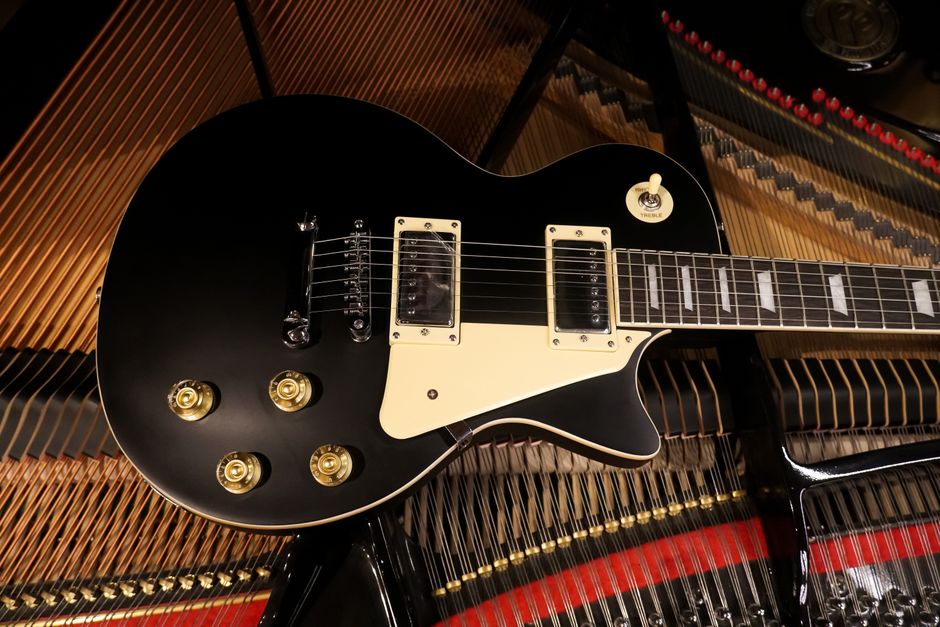
A black electric guitar resting on the strings of a grand piano, showcasing musical harmony.

These are the guitars I see most often in the hands of new players who stick with it. Prices are approximate street prices in early 2026.

Guitar Price Scale Length Pickup Type Best For Watch Out For
Squier Sonic Stratocaster $199 25.5″ 3 single-coils Indie, pop, classic rock Hum at high gain
Epiphone Les Paul Special $179 24.75″ 2 P-90s Punk, grunge, blues Heavy body
Yamaha Pacifica 112V $329 25.5″ Humbucker + 2 single-coils Versatile all-rounder Price creep
Ibanez GRX70QA $249 25.5″ 2 humbuckers + 1 single-coil Metal, hard rock Thin neck not for everyone
Squier Sonic Mustang $199 24″ 2 single-coils Small hands, indie Short scale feels cramped for big hands

The Yamaha Pacifica 112V is the sleeper pick here. It costs more than the Squiers, but the fretwork and setup out of the box are consistently better. If you have $330 instead of $200, buy the Pacifica. If you have exactly $200, buy the Squier Sonic Stratocaster and spend the remaining $30 on a professional setup.

The Setup Is More Important Than the Brand

A $200 guitar with a proper setup plays better than an $800 guitar that has never been adjusted. This is not an exaggeration. The most common reason new players quit is not lack of talent. It is fighting a guitar with high action—strings sitting too far off the fretboard—which makes every chord feel like a workout.

When you buy a guitar, budget $40 to $80 for a professional setup. A good tech will adjust the truss rod, file the nut slots, set the string height, and intonate the bridge. The result is a guitar that plays in tune up the neck and does not buzz or fight you.

If you buy from a local shop, ask if they include a setup with purchase. Many do. If you buy online, factor the setup cost into your budget. The guitar arrives in a box with strings that have been loosened for shipping. It will not play its best out of the box.

Skip the setup and you will spend months thinking you are bad at guitar. You are not. You are playing a poorly adjusted instrument.

Pickups Decide Your Sound More Than Wood

Talented guitarist in a leather jacket playing music passionately on stage with vibrant lighting.

Single-coil pickups sound bright, clear, and slightly thin. They hum at high volume. Humbuckers sound warmer, thicker, and quieter. They are better for heavy distortion.

Here is the practical rule: listen to the guitarists you love. If you love The Smiths, Alvvays, or early Radiohead, get single-coils. If you love Black Sabbath, Metallica, or anything with thick palm-muted chugs, get humbuckers. If you genuinely do not know, get a guitar with a humbucker in the bridge position and a single-coil in the neck, like the Yamaha Pacifica 112V or the Ibanez GRX70QA. That configuration covers the most ground.

Do not buy a guitar because a famous player uses it. Buy the pickup configuration that matches the music you actually play at home. Not the music you wish you played.

Common Mistakes That Turn First Guitars Into Wall Art

  • Buying a guitar too cheap to hold tune. Guitars under $120 often have tuning machines that slip and bridges that rattle. You will spend more time tuning than playing. The floor for a playable new electric guitar in 2026 is around $180.
  • Buying a guitar with a floating tremolo. As covered above, this is a setup nightmare for a beginner. Hardtail or vintage tremolo only.
  • Ignoring the amp budget. An electric guitar without an amp sounds thin and uninspiring. Budget at least $100 for a practice amp like the Fender Frontman 10G ($79) or the Blackstar Fly 3 ($79).
  • Choosing a guitar by color alone. Looks matter for motivation, but not more than playability. A guitar that looks cool on the wall and hurts your hands will not get played.
  • Skipping the setup. Already covered, but it bears repeating. This is the single biggest predictor of whether you stick with the instrument.

When Not to Buy an Electric Guitar at All

Two women musicians playing guitar and drums indoors with a brick wall backdrop.

If you live in an apartment with thin walls and have no headphones, an electric guitar through a small amp can still annoy neighbors. In that case, consider a headphone amp like the Fender Mustang Micro ($119) instead of a traditional practice amp. It plugs directly into the guitar and delivers amp models through earbuds. No speaker, no noise complaints.

If you are not sure you will stick with guitar, do not spend $500 on a first instrument. Buy the Squier Sonic Stratocaster, get a setup, and put the remaining cash toward lessons or a decent cable. A $10 cable will crackle and cut out within months. Spend $20 on a braided cable from a brand like Ernie Ball or D’Addario.

If you have small hands or are buying for a child, get the Squier Sonic Mustang. The shorter scale length genuinely makes chords easier. Do not buy a full-size guitar and hope they grow into it. They will quit first.

The electric guitar market in 2026 is crowded with good options under $350. The hard part is not finding a good guitar. The hard part is avoiding the traps that make you want to quit. Buy a solid body with the right pickups, pay for a setup, and spend the next year learning songs you love. The gear matters less than the hours you put in.

The best first guitar is the one that stays in tune, feels comfortable, and makes you want to pick it up every day. Everything else is marketing.

Midi Keyboard Setup Beginners: Your MIDI Keyboard Won’t Fix a Bad Song: A Beginner’s Setup for 2026

You bought a MIDI keyboard because someone on YouTube made it look easy. The box arrived. You plugged it into your laptop. Nothing happened. Or worse — it made a sound once, then went silent, and now you’re three hours deep in a forum thread from 2019 about driver conflicts.

This is not a gear problem. It’s a routing problem. And the fix takes about twenty minutes once you understand what the keyboard actually does.

A MIDI controller sends instructions, not audio. It says “note on, velocity 97, note off” — nothing else. Your computer turns those instructions into sound through a software instrument. If you skip that step, the keyboard is just an expensive plastic slab. This guide covers the setup path that actually works in 2026, using gear that doesn’t require a degree in audio engineering.

The Three-Part Chain: Keyboard, Driver, DAW

Every MIDI setup failure comes down to one broken link in a three-part chain. The keyboard sends data. The operating system receives it. The DAW interprets it. If any link fails, you get silence.

What the keyboard actually sends

MIDI data is tiny. A note-on message is three bytes. Your keyboard doesn’t need a powerful computer to work — a 2015 laptop handles it fine. What matters is whether the keyboard is class-compliant. Class-compliant means the operating system recognizes it without installing drivers. The Arturia KeyLab Essential 49 ($249) is class-compliant. So is the Novation Launchkey 37 ($199). The Akai MPK Mini Plus ($169) works class-compliant too. If your keyboard needs a driver download, do that first — before opening any music software.

The DAW is not optional

You need a DAW — a digital audio workstation — to hear anything. Free options in 2026 include GarageBand (Mac only), Cakewalk by BandLab (Windows), and Tracktion Waveform Free (both platforms). Paid entry points: Ableton Live Intro ($99), Logic Pro ($199, Mac only), FL Studio Fruity Edition ($99). The DAW is where you select a virtual instrument — a piano, a synth, a drum kit — and route the MIDI input to it.

The setup sequence that avoids 90% of problems

  1. Plug in the keyboard with the USB cable it came with. Not a random cable from a drawer — some cheap USB cables are charge-only and don’t carry data.
  2. Open your DAW. Go to Settings > MIDI Devices (or Preferences > MIDI).
  3. Enable the keyboard as an input device. Look for a checkbox or an “Enable” button next to the keyboard’s name.
  4. Create a new track. Select a virtual instrument from the DAW’s instrument list.
  5. Arm the track for recording (usually a red button on the track).
  6. Play a key. You should hear sound.

If you hear nothing at step 6, the problem is almost always step 3 or step 5. Not the keyboard.

What Actually Goes Wrong: The Failure Modes

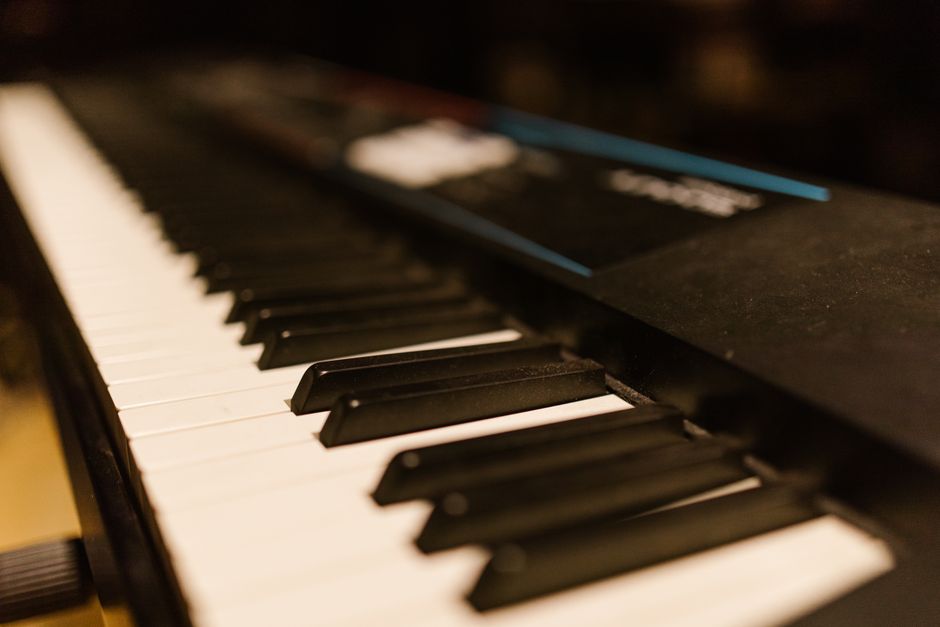
Detailed close-up of piano keys on an electronic keyboard. Perfect for music-related content.

Here’s what nobody tells you before you buy.

Problem What it looks like The actual fix
Charge-only USB cable Keyboard lights up but DAW doesn’t see it Use the cable from the box, or buy a data-rated USB cable ($8–12)
Wrong MIDI channel Some keys work, others don’t, or drum pads trigger wrong sounds Set keyboard to MIDI channel 1, match it in DAW track settings
No virtual instrument loaded DAW sees the keyboard, track is armed, still no sound Load a software instrument on the track — the DAW doesn’t make sound by itself
Driver conflict Keyboard works, then stops after a system update Uninstall old drivers, download current version from manufacturer site, restart
Latency (delay between key press and sound) You play a note, sound comes 100–300ms later Lower buffer size in DAW audio settings (64–128 samples), or install ASIO drivers on Windows

The charge-only cable issue is the most common beginner failure I see. A cable that charges your phone will not necessarily transmit MIDI data. If your keyboard powers on but the DAW doesn’t list it, try a different cable before you return the keyboard.

Latency deserves more attention. On Windows, the default audio drivers are slow. You need ASIO4ALL (free) or the ASIO driver from your audio interface. Set the buffer to 128 samples or lower. At 256 samples, the delay becomes noticeable. At 512, it’s unplayable.

Which Keyboard to Buy in 2026 (And When Not to Buy One)

For a first controller, the Novation Launchkey 37 is the best pick right now. It costs $199, has 37 full-size keys, and includes Ableton Live Lite. The integration with Ableton is deeper than anything Arturia or Akai offers at this price. If you don’t know which DAW you’ll use, the Launchkey works fine with any of them, but it shines in Ableton.

The Akai MPK Mini Plus ($169) is the right choice if desk space is tight. It has 37 mini keys, which feel cramped for two-handed playing but work fine for bass lines, drum programming, and chord stabs. The joystick for pitch and modulation is more fun than wheels.

The Arturia KeyLab Essential 49 ($249) makes sense if you’re leaning toward Arturia’s Analog Lab software — it comes with a huge preset library that sounds genuinely good out of the box. The keybed feels slightly better than the Novation.

Skip anything with fewer than 25 keys. Skip anything without pitch and mod controls. Skip anything that requires proprietary drivers unless you’re on Mac. And if you already have a digital piano with USB MIDI out, you don’t need to buy a controller at all — that piano will work as a MIDI keyboard in any DAW.

Setting Up Your First Playable Session

A vibrant close-up view of a computer keyboard illuminated by red and blue light, emphasizing technology themes.

You’ve got the keyboard connected. The DAW sees it. Now make something that sounds like music, not a keyboard demo.

Start with a piano sound. Not a synth, not a pad — a plain piano. Pianos have a fast attack and a clear decay, which makes it obvious when your MIDI routing is working and when latency is creeping in. In GarageBand, that’s the “Grand Piano” instrument. In Ableton, it’s “Grand Piano” under Instruments. In FL Studio, it’s “FL Keys.”

Record four bars of a simple chord progression. C major, A minor, F major, G major. One chord per bar. Don’t worry about timing — you can quantize later. The point is to confirm that notes are being recorded and played back correctly.

Then switch to a drum kit. Most beginner keyboards have drum pads. Tap out a basic kick-snare pattern. If the pads trigger the wrong drums, check the pad mapping — many controllers let you reassign pad notes in the included software editor. On the Launchkey, that’s Novation Components. On the MPK Mini Plus, it’s Akai MPC Beats.

The goal of this first session is not a finished song. It’s to verify every link in the chain works. Once you’ve recorded MIDI, played it back, and edited a note or two, you’re past the setup phase. Everything after this is just learning the software.

What Nobody Tells You About MIDI Controllers

A sleek, modern office setup with a gaming PC, curved monitor, and accessories, ideal for tech enthusiasts.

Your keyboard will not make you a better musician. It won’t write melodies for you. It won’t fix a weak chord progression. What it does is remove friction between an idea and a recording. That’s the whole value proposition.

If you’re a guitarist who wants to add synth parts to demos, a 25-key controller is enough. If you’re a pianist who wants to record full arrangements, get at least 49 keys. If you’re a beatmaker, the pads matter more than the keys — the Akai MPD218 ($119) has no keyboard at all, just 16 pads, and it’s better for drum programming than any keyboard controller at double the price.

One more thing: MIDI keyboards don’t make sound without a computer. If you want standalone sounds without a laptop, you’re looking for a synthesizer, not a controller. The Korg Volca Keys ($169) or Arturia MicroFreak ($349) are actual synthesizers with built-in sounds. Different product category entirely.

You bought the keyboard because you wanted to make music. The setup takes twenty minutes. The learning curve after that is the real work — and no amount of gear shopping will skip it.